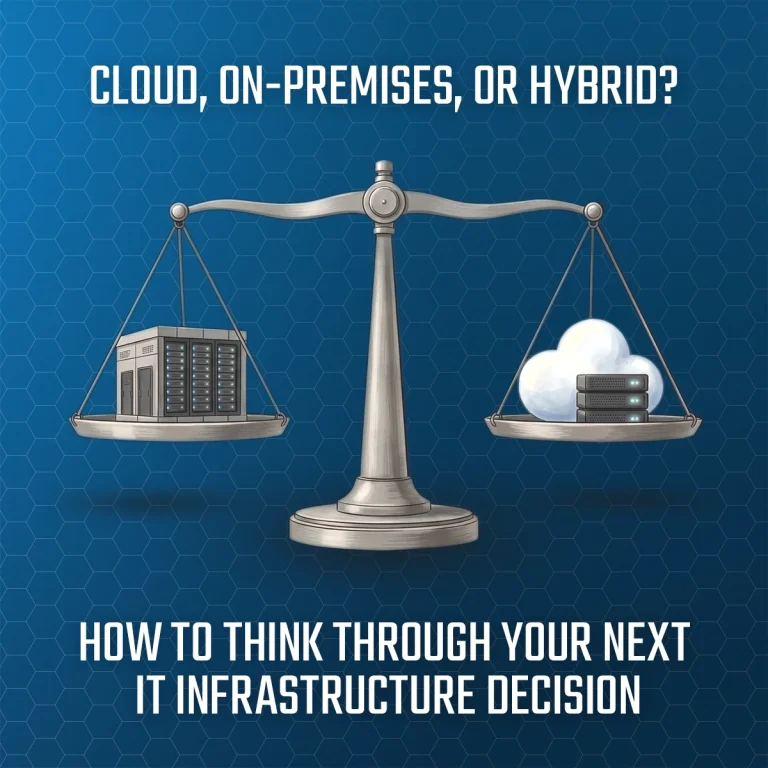
For many small businesses, the next server or infrastructure decision is not as simple as it used to be.
In the past, replacing an aging server often meant buying another physical server and installing it at the office. Today, businesses have more options. Some systems may still make sense on premises. Others may be better suited for the cloud. In many cases, a hybrid approach is the most practical path.
There is no single right answer. The best choice depends on your applications, budget, security requirements, compliance needs, internet reliability, performance expectations, and long-term business plans.
This conversation is becoming more important for businesses still running Windows Server 2016, as Microsoft extended support ends on January 12, 2027.
Why Server 2016 End of Life Matters
If your business is running Windows Server 2016, it is time to start thinking about what comes next.
After extended support ends on January 12, 2027, Microsoft will no longer provide standard security updates and support through the normal lifecycle. Your server will not suddenly stop working, but continuing to rely on unsupported systems can increase security, compliance, and operational risk.
For many businesses, this is a good opportunity to step back and ask:
- Should we replace existing server hardware?
- Should we upgrade to a newer version of Windows Server?
- Should some systems move to the cloud?
- Would a hybrid approach be a better fit?
- Are our backups and disaster recovery plans still appropriate?
- Are our applications still supported by their vendors?
These decisions take time, especially when line-of-business applications, licensing, user access, and downtime windows are involved.
CAPEX vs. OPEX: Understanding the Cost Difference
One of the biggest differences between on-premises and cloud infrastructure is how the cost is structured.
CAPEX, or capital expenditure, usually refers to larger upfront purchases. In IT, that often means buying physical servers, storage, backup equipment, networking hardware, and related licensing.
OPEX, or operating expenditure, refers to ongoing operating costs. Cloud services typically fall into this category because they are usually billed monthly or annually as subscriptions or usage-based services.
Neither model is automatically better.
An on-premises server may require more money upfront, but the hardware may be used for several years. Cloud services can reduce the need to own and maintain equipment, but monthly costs can grow as users, storage, applications, and usage increase.
The right question is not always, “Which is cheaper?”
A better question is, “Which option gives us the right balance of cost, performance, security, reliability, and flexibility?”
Option 1: Keeping Infrastructure On-Premises
On-premises infrastructure means your servers and systems are located at your office or another business-owned location.
For some businesses, this still makes a lot of sense.
Where On-Premises Can Be a Good Fit
On-premises systems may be a strong option when:
- You need direct control over hardware and data
- Certain applications perform better on a local network
- Your business works with large files or local databases
- A legacy application is not cloud-ready
- Internet service is limited or unreliable
- You prefer owning infrastructure rather than renting resources
One advantage of local infrastructure is control. If something goes down, your IT team or provider can physically inspect the equipment, troubleshoot locally, and take direct action. For some businesses, that level of access matters.
What to Plan For
On-premises infrastructure also comes with responsibility. Hardware needs to be maintained, monitored, backed up, protected, and eventually replaced.
Businesses also need to think about:
- Hardware warranties and refresh cycles
- Power protection
- Physical security
- Backup and disaster recovery
- Patching and updates
- Server room conditions
- Capacity planning
- Support coverage
On premises can be the right answer, but it should be managed with a clear plan.
Option 2: Moving Infrastructure to the Cloud
Cloud infrastructure means your servers, applications, storage, or data are hosted in a provider’s environment and accessed over the internet.
This may include platforms such as Microsoft Azure, Amazon Web Services, Google Cloud, hosted application providers, cloud backup services, or Software-as-a-Service platforms.
Where Cloud Can Be a Good Fit
Cloud services may make sense when:
- You need easier remote access
- Your team works from multiple locations
- You want to reduce physical server ownership
- You need flexible scaling
- Your applications are already cloud-ready
- You want subscription-based pricing
- You are improving disaster recovery options
Cloud platforms can be very useful for businesses that need flexibility, mobility, and scalability.
What to Plan For
Moving to the cloud does not remove the need for planning or management.
Businesses still need to consider:
- Internet reliability
- User access and permissions
- Multi-factor authentication
- Backup requirements
- Cloud storage growth
- Monthly cost management
- Compliance obligations
- Application performance
- Vendor lock-in
- Licensing terms
It is also important to understand shared responsibility. The cloud provider manages the physical data center and underlying platform, but your business is still responsible for how users, data, security settings, backups, and applications are configured.
Cloud can be a great fit, but it is not “set it and forget it.”
Option 3: Taking a Hybrid Approach
For many small businesses, the best answer is not fully cloud or fully on-premises. A hybrid approach often provides the most practical balance.
Hybrid means some systems stay local while others move to the cloud.
Examples include:
- Keeping a local server for a legacy application
- Moving email to Microsoft 365
- Using cloud backup for local servers
- Hosting a specific business application in the cloud
- Keeping large files local while using cloud tools for collaboration
- Replicating critical data to the cloud for disaster recovery
Hybrid can be especially helpful when a business wants to modernize gradually without disrupting systems that are still working well.
Key Questions to Ask Before Deciding
Before choosing cloud, on-premises, or hybrid, it helps to review a few practical questions.
1. What applications do we depend on?
Some applications are easy to move. Others may have vendor limitations, licensing issues, database requirements, or performance concerns. Application compatibility should be reviewed early.
2. How reliable is our internet?
Cloud systems depend on internet access. If your business moves critical systems to the cloud, redundant internet or cellular failover may be worth considering.
3. What are our security and compliance requirements?
Cloud is not automatically more secure, and on-premises is not automatically less secure. Security depends on how systems are configured, monitored, patched, and protected.
Businesses should consider access control, multi-factor authentication, encryption, compliance requirements, cyber insurance, endpoint security, and data retention.
4. How quickly do we need to recover from an outage?
Backup and disaster recovery planning is critical in any environment.
Two helpful terms are:
- RTO, or Recovery Time Objective: How quickly systems need to be restored.
- RPO, or Recovery Point Objective: How much data the business can afford to lose, measured in time.
Whether systems are local or cloud-based, backups should be tested and protected from ransomware.
5. What will this cost over several years?
Look beyond the initial purchase or monthly subscription.
A proper comparison should include hardware, licensing, cloud subscriptions, storage growth, backup costs, internet upgrades, security tools, migration labor, support, and future scalability.
The Best Choice Depends on the Business
Cloud, on-premises, and hybrid infrastructure can all be good options.
For one business, replacing an aging server may be the most practical and cost-effective decision. For another, moving key applications to the cloud may improve access and scalability. For many, a hybrid approach may offer the best balance of control, flexibility, and cost.
The important thing is to make the decision intentionally, not reactively.
With Windows Server 2016 approaching end of life, now is a good time to review your environment, understand your options, and plan ahead.
How We Can Help
As your IT partner, we can help evaluate your current infrastructure and build a practical roadmap for the next several years.
That may include:
- Reviewing current servers and applications
- Identifying Windows Server 2016 or other aging systems
- Comparing cloud, on-premises, and hybrid options
- Reviewing backup and disaster recovery readiness
- Evaluating security and compliance needs
- Estimating cost differences between CAPEX and OPEX models
- Planning licensing, migration, and support requirements
- Building a 3–5 year infrastructure roadmap
If you are running Windows Server 2016, considering a hardware refresh, or wondering whether cloud, on-premises, or hybrid makes the most sense, we can help you work through the options.