

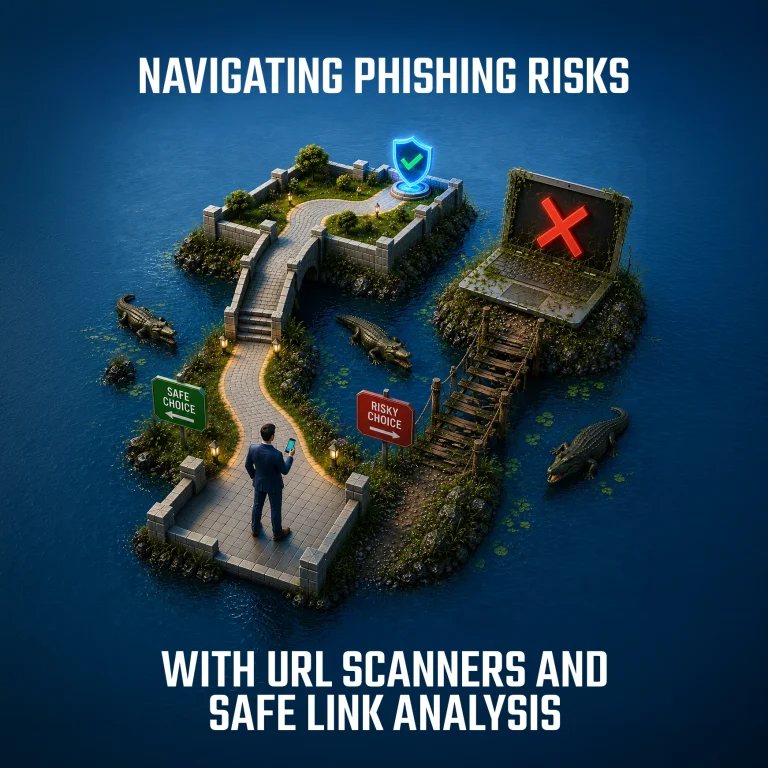
Phishing emails and malicious links are a daily reality for organizations and individuals alike. There is an unavoidable risk every time you open an email or click a link. It could be from a trusted business partner whose account has been compromised, or from a threat actor actively trying to gain access to sensitive systems and data.
In a digital environment, trust cannot be assumed. Every link is a potential decision point between safety and compromise.
Given this reality, understanding how to evaluate and analyze suspicious links becomes critical. The goal is simple: identify risk early, validate legitimacy, and avoid interacting with malicious content before damage is done.
If You Clicked a Suspicious Link
Act quickly but do not panic. The sooner IT is informed, the easier it is to protect your account, device, and company data.
- Stop and close the page
- Do not enter information or download anything
- Report it to IT immediately
- Keep the email for investigation
- Change your password if you entered it
- Do not approve unexpected MFA prompts
- Disconnect from the network if your device behaves strangely
Time is a critical factor. Many automated attacks rely on speed and persistence, but they can be disrupted if access is revoked early.
Listen to Your Gut
If something feels off, there is usually a reason. Unexpected urgency, strange wording, unfamiliar links, or slight inconsistencies in sender identity are often early indicators of phishing attempts. Attackers rely on distraction and pressure. The moment you pause and question the message, you break that flow.
Security is not just technical. It is behavioral. Taking a moment to verify before acting is one of the simplest and most effective defenses available.
Verify Through Trusted Channels
When in doubt, never rely on the contact information provided in a suspicious message.
If an email claims to be from a known organization, verify it through official channels. Use publicly available phone numbers, official websites, or in-person confirmation when possible. If the person is internal to your organization, direct verification is often the fastest and safest option.
A simple rule applies: never trust contact details provided inside the suspicious message itself.
URL Scanners and Link Analysis Tools
Note: These steps should only be followed by experienced, confident technology users who understand the risks involved in cyberattack analysis.
Before You Scan Any Link
Do not click the link to test it. Instead, right-click the link in the email and choose “Copy link address” or “Copy hyperlink.”
Important: Do not submit sensitive links to public scanning sites when the URL contains data such as:
- Email address or username
- Password reset tokens
- One-time login links
- Invoice/payment portal links
- File-sharing links with access tokens
If in doubt, send it to IT instead.
Which Tool Should You Use?
| Situation | Best tool |
| You want a quick reputation check of a link. | VirusTotal |
| You want to see what the link opens or redirects to. | urlscan.io |
| You want to check whether an IP address looks risky or fraudulent. | Scamalytics |
| You are unsure, or the link may contain sensitive information. | Report to IT |
1. Checking a Link with VirusTotal
Steps
- Go to virustotal.com
- Click the URL tab
- Paste the suspicious link
- Press Enter
- Review the result
How to read the result
Look for the number of vendors that mark it as:
- Malicious
- Suspicious
- Phishing
If several vendors flag it, treat it as dangerous and report it to IT.
Important: A result of 0 detections does not guarantee the link is safe. New phishing links often appear before security tools detect them.
Use VirusTotal for a quick first check, not as final proof.
2. Checking a Link with urlscan.io
Steps
- Go to urlscan.io
- Paste the suspicious link into the scan box
- Choose Private or Unlisted if available
- Avoid public scans for sensitive business links
- Click Scan
- Wait for the results
What to look for
Check:
- Screenshot: Does it show a fake Microsoft, Google, bank, or supplier login page?
- Final URL: Did it redirect somewhere unexpected?
- Domain name: Is it misspelled or strange?
- Example: micros0ft-login.com instead of microsoft.com
- Verdicts: Does urlscan or another source mark it as malicious?
Use urlscan.io when you want to see where a link goes and what the page looks like without visiting it yourself.
3. Checking an IP Address with Scamalytics
Steps
- Go to scamalytics.com
- Use the IP lookup option
- Paste the IP address
- Review the fraud risk score
How to read the result
A high-risk result may indicate that the IP address is associated with suspicious or anonymized activity.
Use Scamalytics if IT gives you an IP address to check, or if you are reviewing technical information from a security alert.
For most business users, VirusTotal and urlscan.io are more useful for checking suspicious links.
Advanced Analysis and Sandboxing
For higher-risk investigations, sandbox environments allow full execution of suspicious links in controlled environments.
Tools such as Joe Sandbox and Hybrid Analysis can safely detonate links and attachments while capturing behavior, network activity, and potential malicious payloads.
https://www.joesandbox.com
https://hybrid-analysis.com
These tools are powerful but should only be used when necessary, particularly when handling potentially sensitive or confidential data.
Final Principle: Slow Down the Attack
Phishing works because it creates urgency and reduces time for thinking.
Security works when you reverse that dynamic.
Pause. Verify. Validate. Then act.
A few seconds of caution can prevent major compromise events, data loss, or account takeover scenarios.
In modern cybersecurity, awareness and process are just as important as tooling. URL scanners, reputation checks, and sandboxing environments are not just utilities—they are part of a broader defensive mindset that protects both individuals and organizations.